Design Thursday #95
A weekly recap of everything you need to know about tools, events, guidelines and design in general.


Refero MCP: giving your AI agent design taste
One of the reasons AI-generated interfaces all look the same is that models are trained on code and text, not actual product design. Refero MCP fixes that by connecting your agent to a library of 124,000+ real app screens and 8,000+ user flows, so it can study how real products handle things like onboarding, paywalls, empty states, and error pages before it starts building.
Every screen comes with structured metadata like layouts, UX patterns, UI patterns, … So your agent researches first and designs second. The result is less generic output and fewer iterations fixing things that looked off from the start.
Glaze: AI-built native Mac apps
Glaze is a new tool from the Raycast team that lets you build real native Mac apps by just chatting with AI. Not web wrappers, actual desktop apps that launch instantly, work offline, and support things like keyboard shortcuts, menu bar integration, and file system access. You can start from scratch or browse their public app store, install something close to what you need, and tweak it from there.
Rive feathering updates
Rive made some updates to their feathering feature, which allows you to apply blurs, shadows, and lighting effects in your animations. They made sure they are optimized to make them run even more smoothly and added gradient noise dithering to help avoid banding. Here's a reminder of what you can build with feathering:
Webflow Cloud updates
Webflow shipped some improvements for Webflow Cloud. Builds are now 3–4× faster, and you can finally upload a .env file in bulk instead of copy-pasting variables one by one. They also decoupled deploying from publishing, so you can push code without immediately making it live. For AI and real-time apps, Cloud now supports HTTPS streaming responses for things like SSE and streaming model outputs. Build and deploy logs also got clearer, with a copy-to-clipboard option to speed up debugging.
Webflow Component Canvas
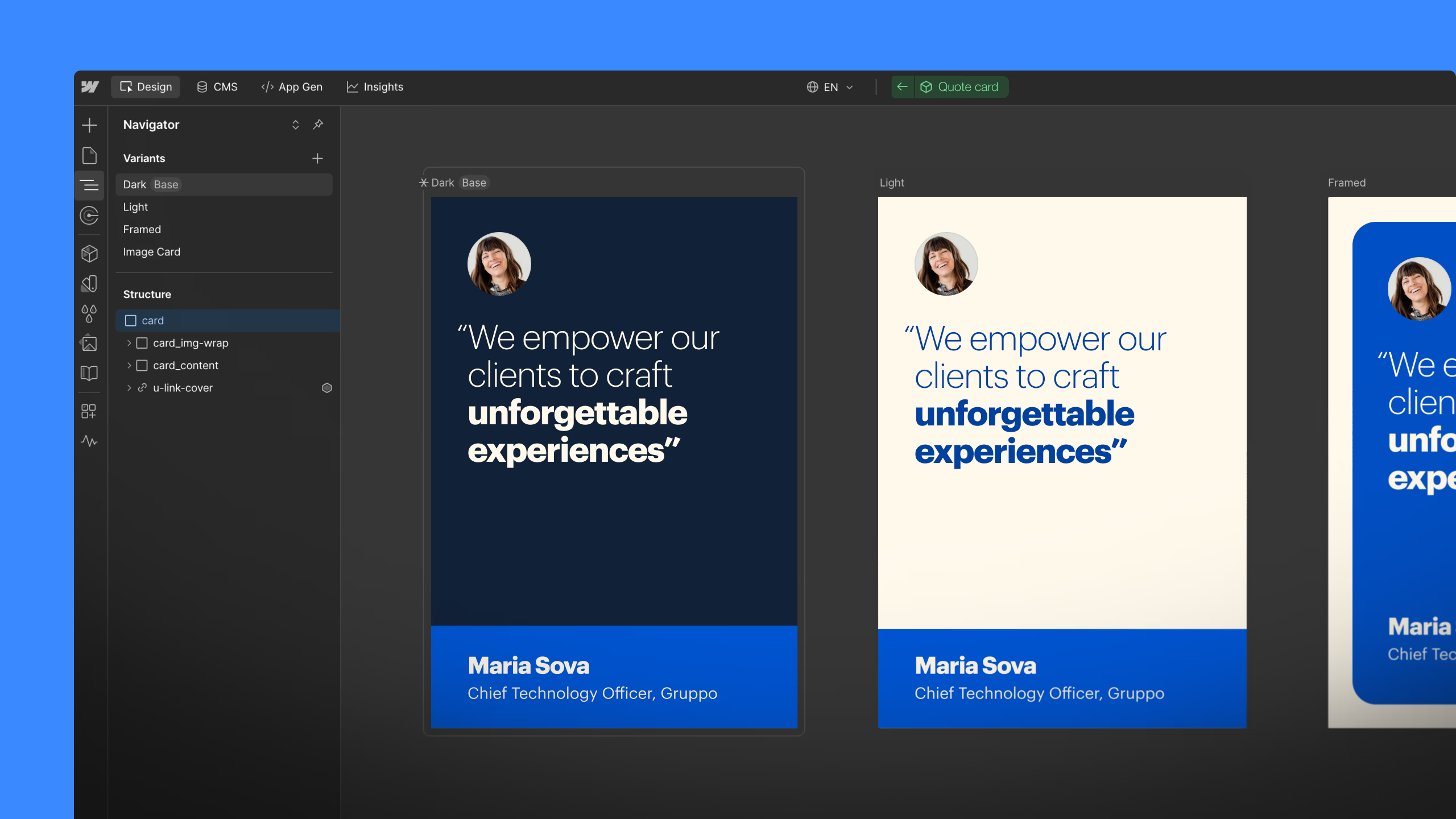
Webflow is rolling out Component Canvas, which is a dedicated space where you can design and edit your components on its own. Here you can see all the variants side-by-side, and see the changes immediately when you change one variant to see it cascade to other variants.
Read more about Component Canvas
Stark updates
One of the latest features of Stark is Evidence Vault, a place where you can review, edit, and remove accessibility evidence. There are also more authentication options for the repo integration, making it possible to audit sites that aren’t public. And they added some improvements to the Figma plugin to make loading colors faster and the option to reorder landmarks. Plus, you can now filter results by severity or category in the browser extensions.
View all the latest Stark updates
Lottie Creator gets AEP import
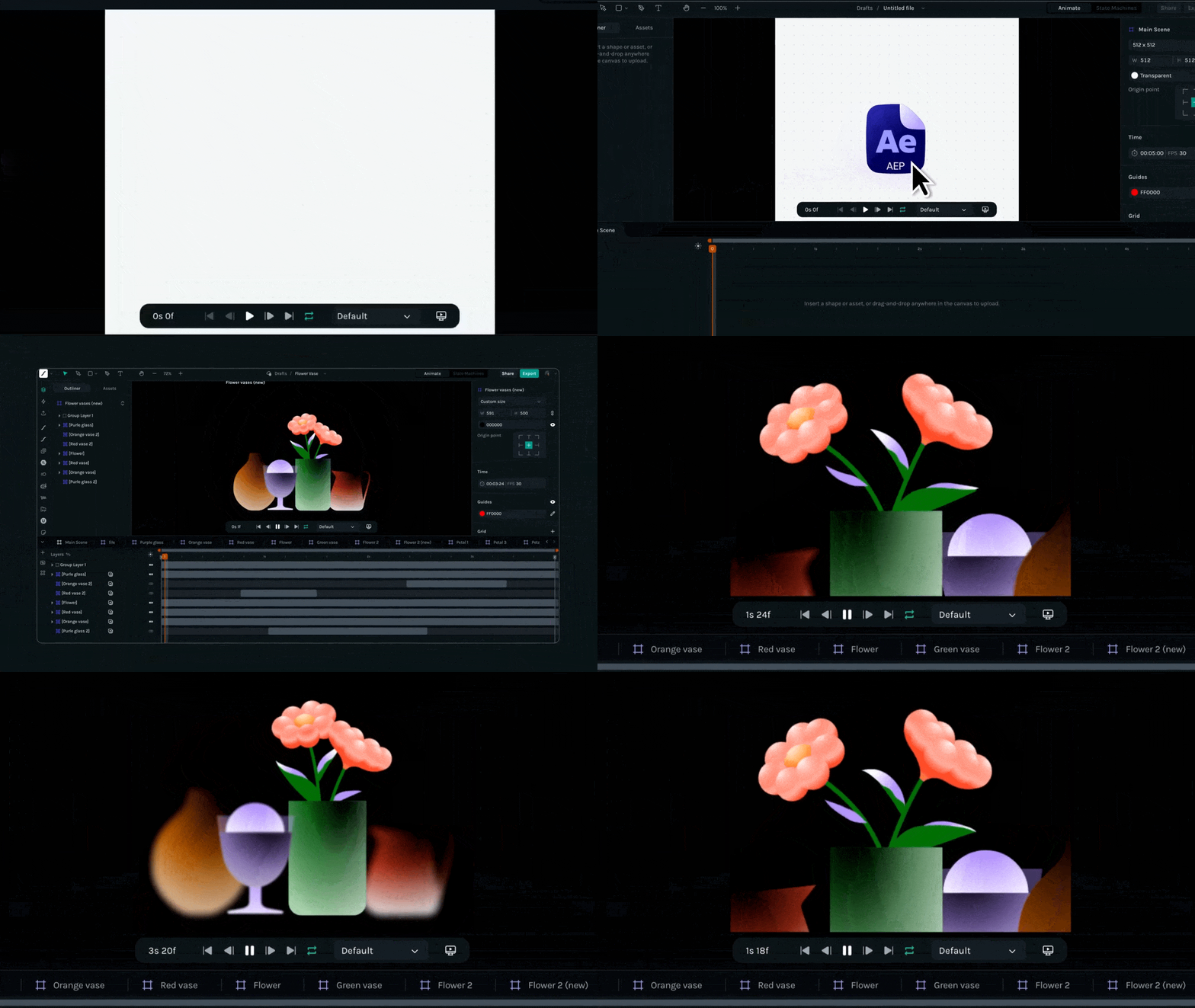
You can now drag and drop After Effects project files directly into Lottie Creator, edit them in the browser, and export them as Lottie animations in one click.
Figma MCP x Codex
Just like Figma’s Claude Code integration where you can send back your code to Figma Design, you can now do the same thing with Codex. Via the generate_figma_design tool, you can visualize your code back into design.
Read more about Codex to Figma
Penpot Scribble to Design
Penpot can now create designs just from hand-drawn wireframes with the rest of your file’s components and screens in mind. This will allow you to go from rough sketch to mockup super fast. It’s all powered by Penpot’s MCP Server.
Andy Allen on design as differentiation
Tommy Geoco published a great interview with Andy Allen, who started Not Boring Software. While everyone is racing to slap AI onto existing apps, Andy is doing something different: he’s reimagining apps that have existed since the beginning of the iPhone (calculator, weather, camera) purely through the lens of interface design. No AI, no VC funding, no pressure to scale. Just a tiny team making apps that feel like nothing else on your phone. He’s more interested in design as differentiation, the way it works in fashion or automotive, where design gives a product its own identity and point of view.
Jamie Ganon on AI as creative direction
Dive Club posted a new interview with Jamie Ganon on how to actually get good at AI image generation. Her main point: it’s a direction problem, not a prompt problem. Instead of writing detailed prompts, she builds mood boards and feeds reference images directly into the model, because AI understands a vibe from an image far better than it ever will from a description. She also breaks her process into small, controlled steps rather than asking the model to do everything at once. Swap one element, evaluate, then move to the next. Over-prompting is what kills most generations. Worth a watch if you’ve been treating AI image tools like a slot machine.