Design Thursday #90
A weekly recap of everything you need to know about tools, events, guidelines and design in general.


Claude MCP apps
Claude, just like ChatGPT did before, is adding interactive MCP apps. These can show up after you prompt something and can be interacted with. Think of them like small, contained mini web apps that have all the context you need to enhance the answer or solution to your prompt. A few examples are asking your analytics tools about your data, and an interactive chart might show up as a response instead of plain text. Or ask to help you create a presentation outline, where you can immediately change some of the design choices.
This builds upon a new open standard, MCP apps, which will also allow other tools like a code editor to show these apps inside of your AI conversations. There's also a Figma UI kit available if you want to design your own MCP app.
Read more about interactive Claude apps
New in Figma
Glass is out of beta
Figma added some new updates for its Glass effect, which is now also out of beta. You can now:
- Apply glass on any layer type so you can make glass text, shapes, ...
- Use any corner configuration you want to only round a single corner? That will now work with a glass effect.
- A new Splay property lets you define how light bends around the edge of an object.
- Use variables from your design system to define your glass effect.
Diagramming in Claude
You could previously use FigJam in ChatGPT, but with the new Claude MCP apps, you can now also do it in FigJam. Ask what you want to visualize, like "Should designers vibe code?" and see Claude and Figma do its magic.
Read more about FigJam in Claude
Instant font preview in Framer
This might look like a small and simple update, but it’s a great quality-of-life improvement. Fonts now instantly preview in Framer when you hover over the font name. On top of that, there were also quite some other improvements in the January update, like a 'Find' action in the component and vector menus.
Sketch updates
Quite some improvements were added in the first 2026 release of Sketch:
- The web inspector now shows a full layer list so you can dig through all the details of a design.
- Workspaces are easier to organize with multi-drag-and-drop.
- A brand new Slack integration will preview Sketch designs whenever you share a link.
- Previews are a new way to share designs or prototypes via the web app. You can select what you want to share. Great for hiding some unfinished designs you don't want your client to see yet.
Webflow updates
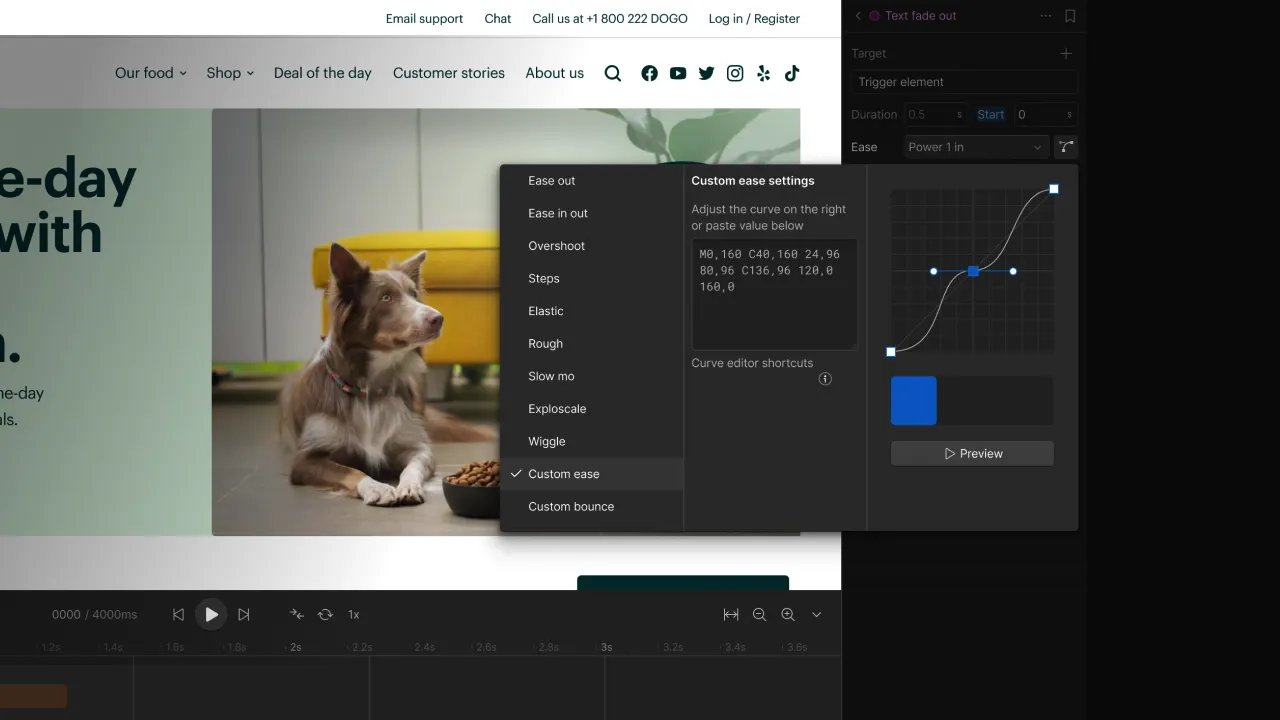
There are two great new updates in Webflow this week. First off: GSAP interactions got a few updates starting with a brand new Spline action which allows you to control 3D spline scenes directly in GSAP timelines. Also, a new Ease visualizer has been added to see the curve of your animation so you can tweak it even more precisely. There is also an official new Interactions & animations course available.
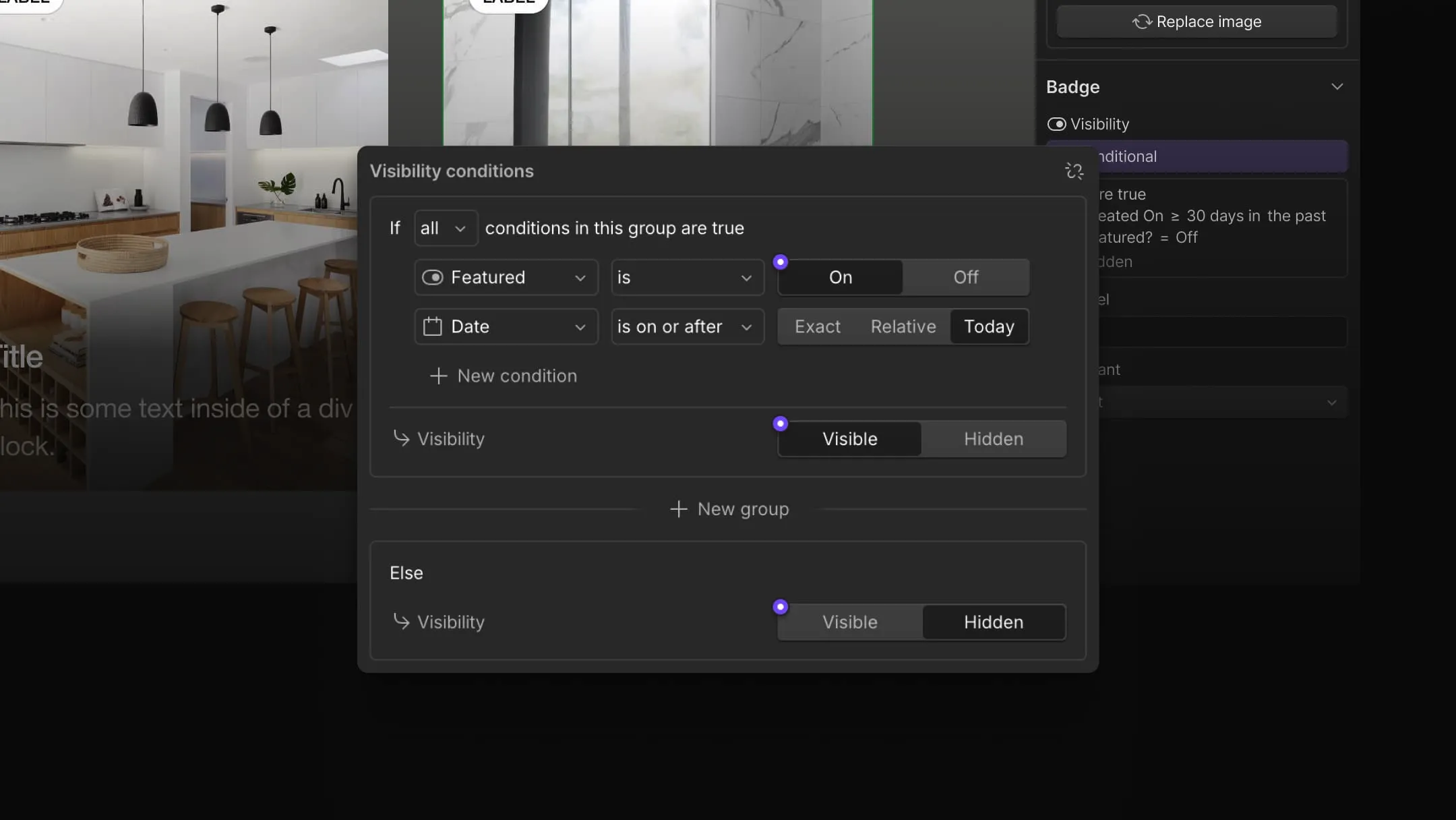
There are also some new components and CMS pages updates. Conditional visibility was already a thing, but now it's much more advanced where you can create a chain of conditions to decide what should be shown when. Great for building more complex layouts based on the data that is available. Suggested props is another new feature which will recommend properties when you create or edit a component.
Read more about the CMS and components updates
Vibe coding with 3D
One of the recent Dive Club episodes goes deeper into using 3D to build interactive and more experimental websites. Design Engineer Xavier Jack shows his process and what tools he uses to create 3D scenes and bring them to life in an actual website. A great way to get inspired to do something nice on your next project.