Design Thursday #80
A weekly recap of everything you need to know about tools, events, guidelines and design in general.


Figma Updates
Accessibility Improvements
Figma added over 15 accessibility improvements across Figma, FigJam, and Slides. This should make it easier to navigate and edit design files with just a keyboard or a screen reader. A great step in making design tools more accessible to more people.
See all accessibility improvements
Push Figma Make to GitHub
You can now push your Figma Make prototypes to a GitHub repository to share the code of your prototype with engineers or to work on it via another tool. Also great for versioning or just to have a back-up for when you can't use Make anymore.
Good to know: the changes only sync one way, so changes you make in GitHub won't appear in Make.
Read all about Figma Make to GitHub
Framer Updates
Protected staging
Framer added an option to protect your staging links so they are only accessible to users who have been invited and are logged in. So no need to send over passwords or worry that someone might guess the password.
You can enable this via Project Settings > Versions & Staging > Protected
Better Markdown support
When you paste Markdown text, Framer should now better detect it and format it so you have to spend less time formatting your text.
Dynamic optimizations
Your published site should now be optimized better, so it will publish faster than before. This is being rolled out throughout October, so you might not see the speed improvement yet.

Sketch MCP
Sketch added MCP support, which is quite exciting as it not only allows you to bring your design as context to development, you can also use it to adapt your design files from a code editor. Think: making all colors consistent, creating a copy with a variant, creating components, ... Anything that is available in the Plugin API is also available to the MCP Server.
View all Sketch MCP documentation

Webflow Updates
Improved Comments
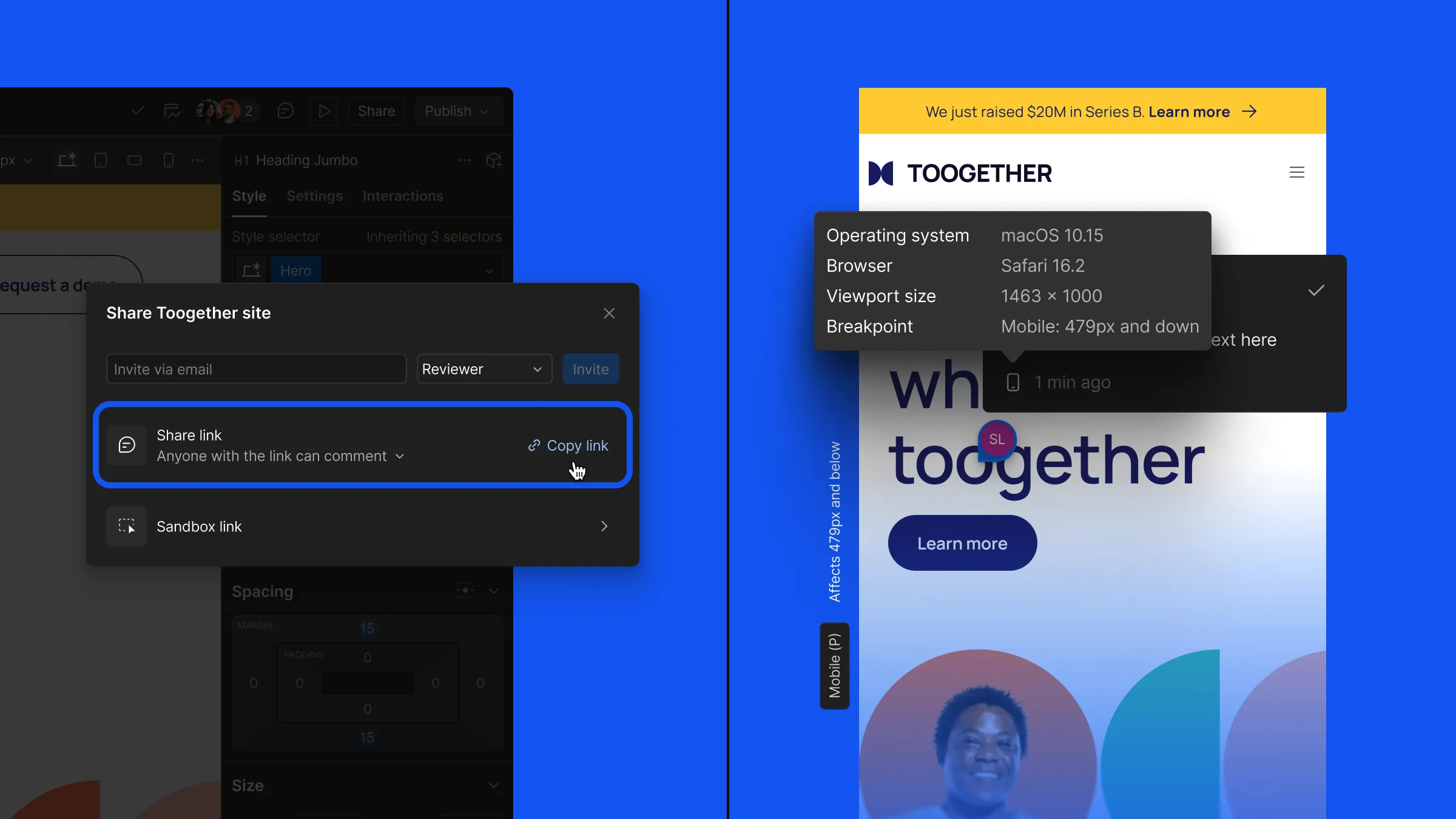
You can now share a comment-only link in Webflow that shares a preview of your website that, as you would have guessed, can be commented on. But different from other share links, is that you don't need to log in with a Webflow account. You can just enter your name and email address to post a comment. This update also brings comment metadata, so you can see what operating system, browser version, browser size, and breakpoint the commenter was using. Great for replicating it and fixing any possible issues.
Form updates
Previously, all form settings were managed site-wide. This can now be done per form individually. Great for setting up different actions after submitting a form, for example, sending notifications to a different user. You can also change other settings like notifications, integrations, ... without having to go through the site's dashboard. Making it all faster to manage how your forms behave.
There's also a new spam inbox, so you can see which form submissions were flagged as spam. You previously didn't have access to it and would just not know that it was submitted and flagged.
Lottie Creator Updates
A bunch of new updates have been added to Lottie Creator since the first official release a few weeks ago, including:
- An new easing editor for custom easing
- Timeline zooming
- Canvas resizing, right on the Canvas
- Option to share Remix links, so other people can collaborate on your animation
- Duplicating State Machines
- A lot of quality of life improvements for keyframe hotkeys, notifications, feature checker and general usability improvements
Read all Lottie Creator updates
Play AI
Play released their big 4.0 update that is fully focused on AI. You can use it to create designs, prototypes, and export it all to Xcode, all with native SwiftUI code. So you can now:
- Add interactions with natural language like "make this draggable" or "on tap open the profile in a sheet"
- Add components, apply Liquid Glass effects or make any system-wide changes
- Generate screens, widgets or flows with a single prompt
- Select and Rename multiple items at once
- Update copy or images
Play AI is currently in beta, but available for everyone to try.