Design Thursday #125
A weekly recap of everything you need to know about tools, events, guidelines and design in general.


Pen.dev Vibe Shaders
Pen.dev relaunched its shaders as Vibe Shaders. They're GLSL files that live next to your .pen files and can be vibe coded right on the canvas, with a new Shader Mode to fine-tune everything in the context of your design. Next to the classic Shader Fills, there are a few new types:
- Shader Effects: apply an effect to a whole object tree inside a frame and keep editing everything live.
- Background Shaders: sample everything below an object, so you can make your own custom background blur or a partial dither effect.
- 3D transforms and shader brushes: add 3D transformations to vector logos or build custom brushes for vector paths.
The SDF is also calculated in real time, so you can keep editing vectors with a shader applied without exporting a new SDF file. You can find a bunch of new examples in Goodies.
Jitter MCP
Jitter now has its own MCP server, so you can create and animate content without leaving your AI tool. Add https://mcp.jitter.video as a custom connector in Claude, ChatGPT, Notion, or any other tool that supports custom MCP connectors, sign in with your Jitter account, and you're good to go. You can turn a brief into a few animated social posts, create campaign variations with different headlines, or adapt an animation to square, vertical, and widescreen formats. Everything it makes is a regular Jitter file, so you can always open it and tweak the animation by hand. It's still in beta, with exporting, workspace actions, and one-click connectors for Claude and ChatGPT coming soon.
Rive updates
Quite a long list of Rive updates this week. Most of them are CLI and runtime fixes, but there are also some nice new things you can use right in the editor:
- Angular gradients: next to Linear and Radial, colors can now sweep around a center point. They only render in runtimes that use the Rive Renderer, others will show the first color as a solid fill.
- Mesh and N-Slice on Components: Components set to Node mode can now be deformed just like an image, so you can bind them to bones, animate their vertices, or slice them.
- String Template converter: build text like "You scored ${score} of ${total}" from view model values. Great for languages with a different word order or for formatting numbers.
- Text Input limits: set a max number of characters and lines. Clicking outside a Text Input now also removes the focus, like you would expect from a text field in an app.
- Better SVG imports: dashed strokes now come in as a Dash Effect instead of solid strokes, and the stroke order on text stays the way you set it.
Stacks also handle overflow better now. Content overflows based on the stack's alignment, instead of always going to the bottom right.
Webflow updates
Agent presence
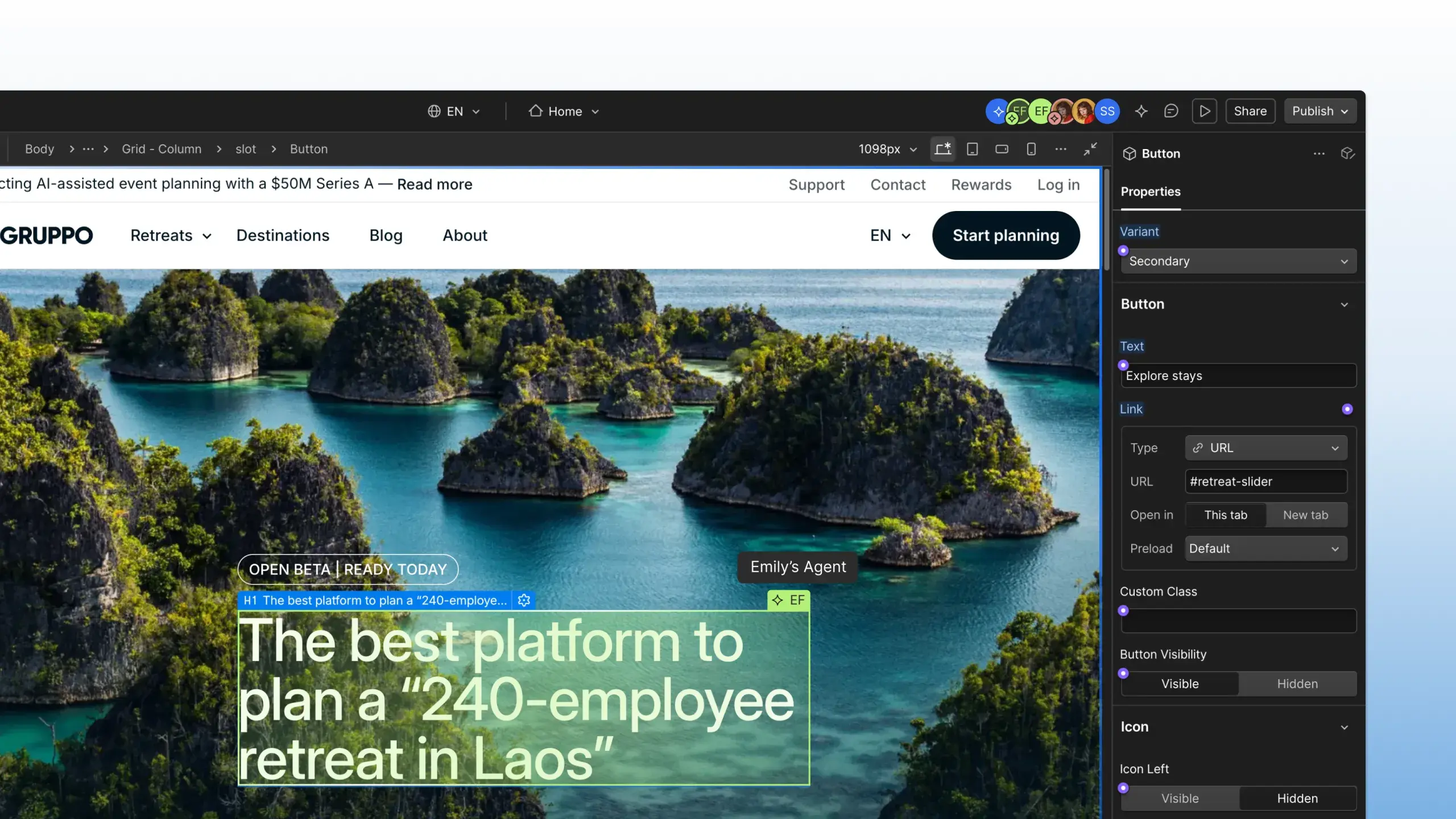
When an agent is connected to your site via Webflow's MCP server, you can now see where it's working live on the canvas, just like you would see a teammate. Earlier this year, Webflow already added AI attribution to the activity log, but that only tells you what happened afterwards. Now you can follow along while it's happening, which is especially useful when multiple teammates have their own agents working on the same site. It's rolling out now and should be available in every Workspace by the end of next week, at no extra cost.
Webflow Campaigns
Announced at Webflow Conf, Campaigns is now available as a standalone product for marketers to build landing pages and ads without having to wait for the web team. It extracts your brand into a reusable design system and generates landing pages and matching ads based on a campaign brief. You can edit everything on a visual canvas or through your own AI tools via Webflow's MCP, and create variations per persona, industry, or account, each with its own URL.

Spline Remote MCP
Spline's MCP server now runs in the cloud, so you no longer need to have the editor open. Connect it in Claude, Cursor, or any other MCP client (or add it via ChatGPT's plugin directory), ask for a 3D scene, and it gets built in a real Spline file you can keep editing. Agents can now also publish your scene, write variable expressions and conditions, and control the animations of imported models. A few other highlights from this release:
- PBR materials, booleans, path extrusions, and timeline animations now export to the native iOS and Android runtimes.
- Camera zoom and lights can be keyframed in the timeline.
- Animation actions can now pause or stop an animation, not only play it.
- Hana stays smooth in files with thousands of objects, and drop shadows can now show through transparent areas.
Building custom AI tools at Metalab
In the latest Dive Club episode, Myles Palmer, Design Director at Metalab, gives a behind-the-scenes look at Oodles, an internal tool system he built with Claude. It's a set of 25 to 30 skills with a router on top, so designers can type /new tool, describe what they want, and get a parametric tool with controls, presets, randomization, exports, and publishing built in. It also learns from every tool that gets built, so people don't keep running into the same bugs. Myles also shows how he keeps Figma and code in sync, and explains why he still sees Figma as the place for great design, just not for making product. A great example of how curiosity and side projects are probably the best way to learn right now.