Design Thursday #119
A weekly recap of everything you need to know about tools, events, guidelines and design in general.


Design for iPhone Duo
Apple published a video on designing for iPhone Duo, its first multi-display and foldable iPhone. Content and controls need to work in all different use cases: closed, partially folded, and split view poses, so Apple's advice is to design for 2 size classes (compact and regular) instead of fixed widths or breakpoints. Toolbar and tab bar items in iOS are now moved to the side to free up vertical space, and system components like sheets and menus automatically shift away from the fold when the device is partially folded. A lot of this is handled automatically once you rebuild your app against with the latest iOS SDKs. If you’ve used a lot of native implementations of course, then you’ll get a lot of this out of the box. Currently there is no iPhone Duo simulator available, so it will probable take until the first iOS 27.1 beta is available. Likely next week after the iOS 27 release.
Add opacity variables in color tokens
Opacity can now be changed without the need to adjust the color in Figma variables. You can either set a standalone value or link it to your own opacity variables.
Framer CMS: List field
Framer added a List field to the CMS, so you no longer have to duplicate fields like Title 1, Title 2 for repeating content such as FAQs or case studies. Items can be grouped in a single list and reordered like rows in a table, and you can ask the Framer Agent to convert existing repeated fields into a list, including reconnecting the CMS data on Canvas. This update also adds some smaller fixes and improvements:
- Added a video component for CMS rich text fields, plus support for reordering the Status field, inline editing, and duplicating multiple items at once
- Fixed cropping on vertical video embeds, duplicate items on branches, and case-sensitive slug filtering on published sites
- Improved scrolling performance in large collections, block selection in rich text, and the filter menu UI in the CMS view
Rive GPU Canvas is now available for everyone
Rive's GPU layer for shaders, 3D, and custom effects is out of Early Access and available in the editor. You can write shaders once in WGSL and Rive compiles them for whatever the platform needs, Metal, Vulkan, Direct3D, WebGPU, or WebGL. Rive makes sure heavy scenes stay smooth. There is also MCP shader support so you can create and edit shaders without being a graphics programmer. There is runtime support for web, iOS, Android, React Native, Flutter, and C++.
Webflow: breakpoint canvas and CMS components
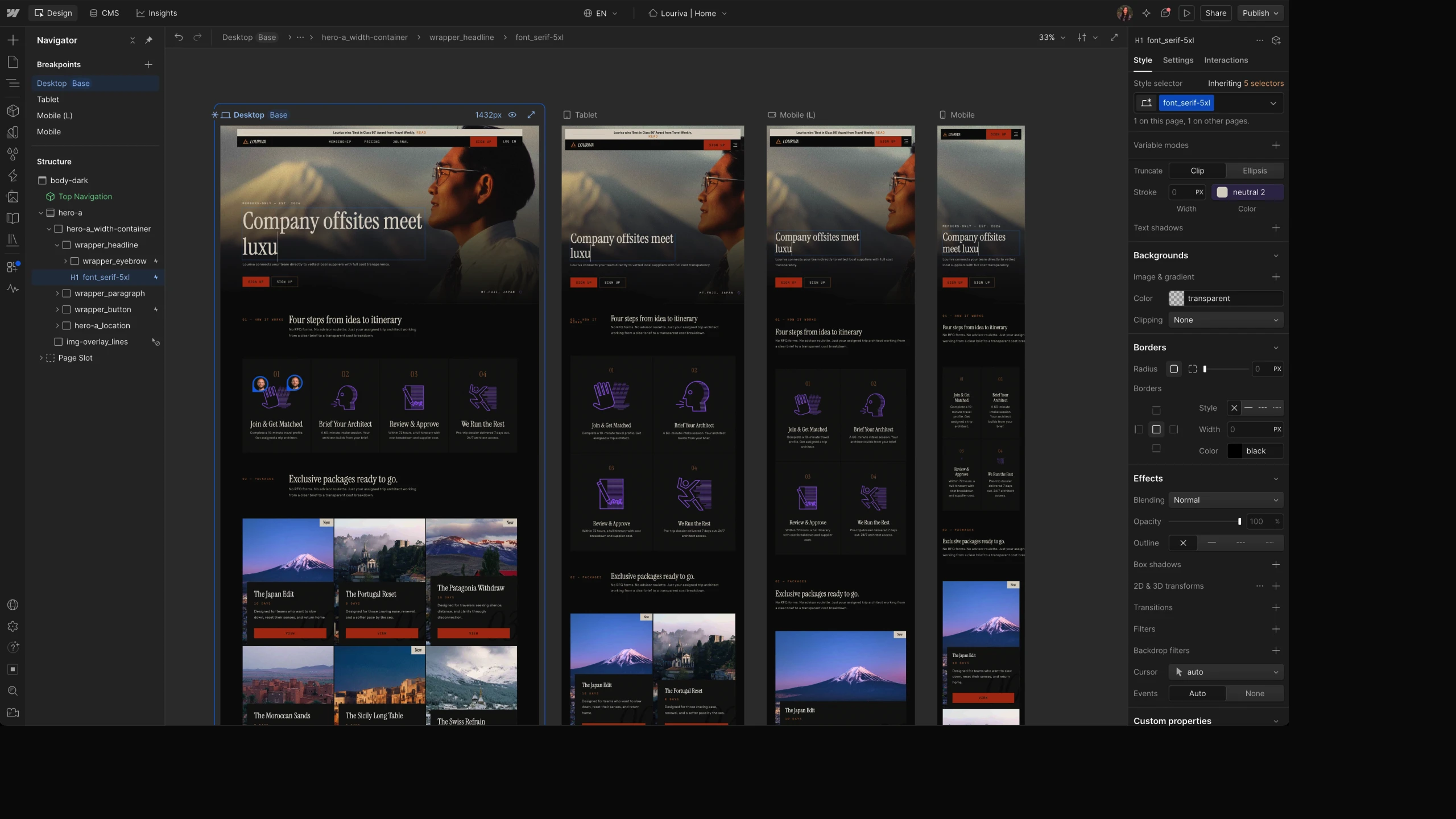
Two updates from Webflow Conf worth calling out. Breakpoint canvas lets you view desktop, tablet, mobile, and large breakpoints side by side, so you can catch cascading changes instantly instead of switching views constantly.
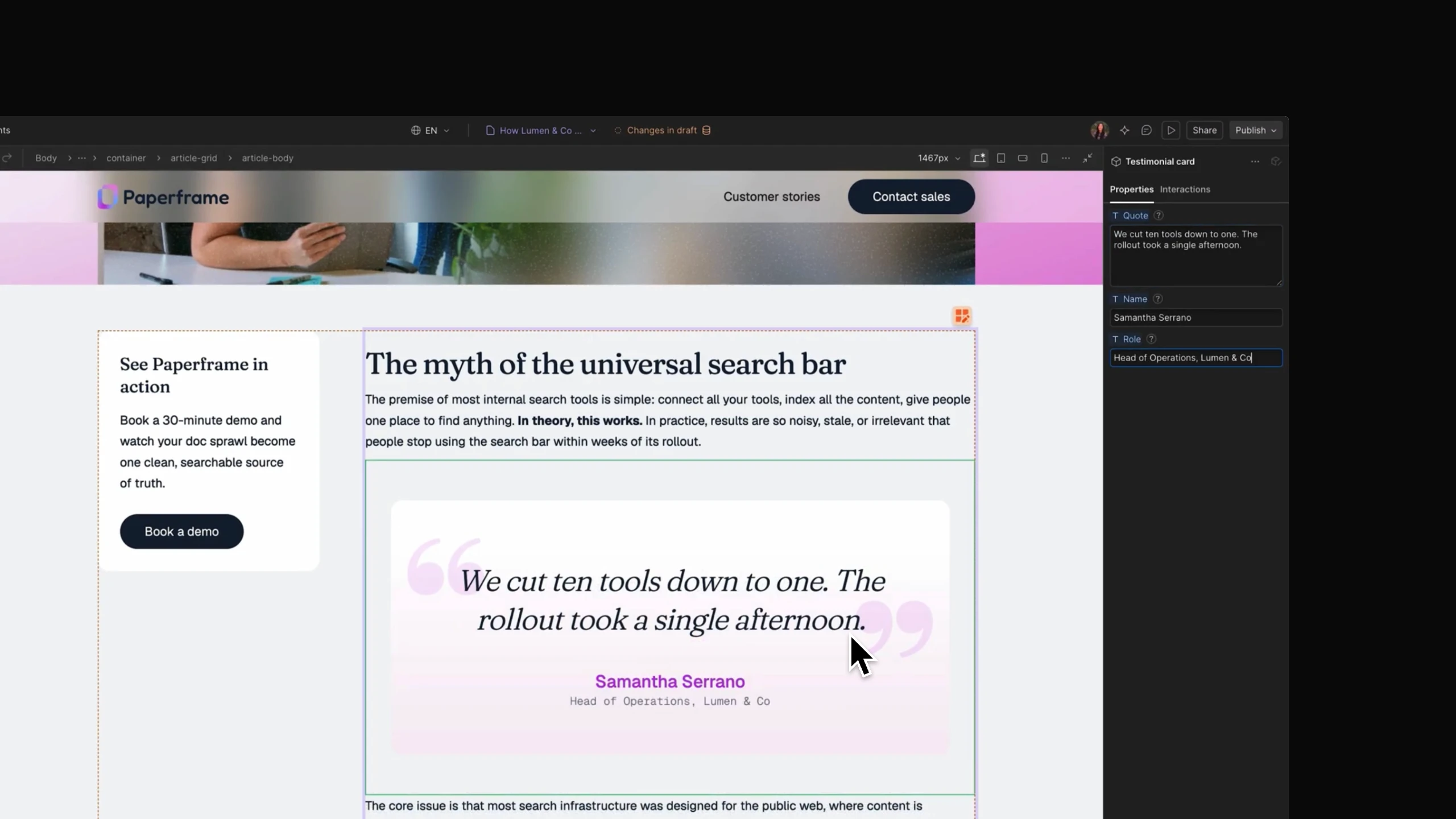
The second update lets you add Webflow components directly into rich text fields, both on canvas and in the CMS panel. You can also configure its properties per item. When you update the component once, every instance across the CMS gets the latest version. This makes things like CTA buttons or testimonial cards inside CMS content much easier to maintain.
LottieFiles: gradients and Creator paste in After Effects
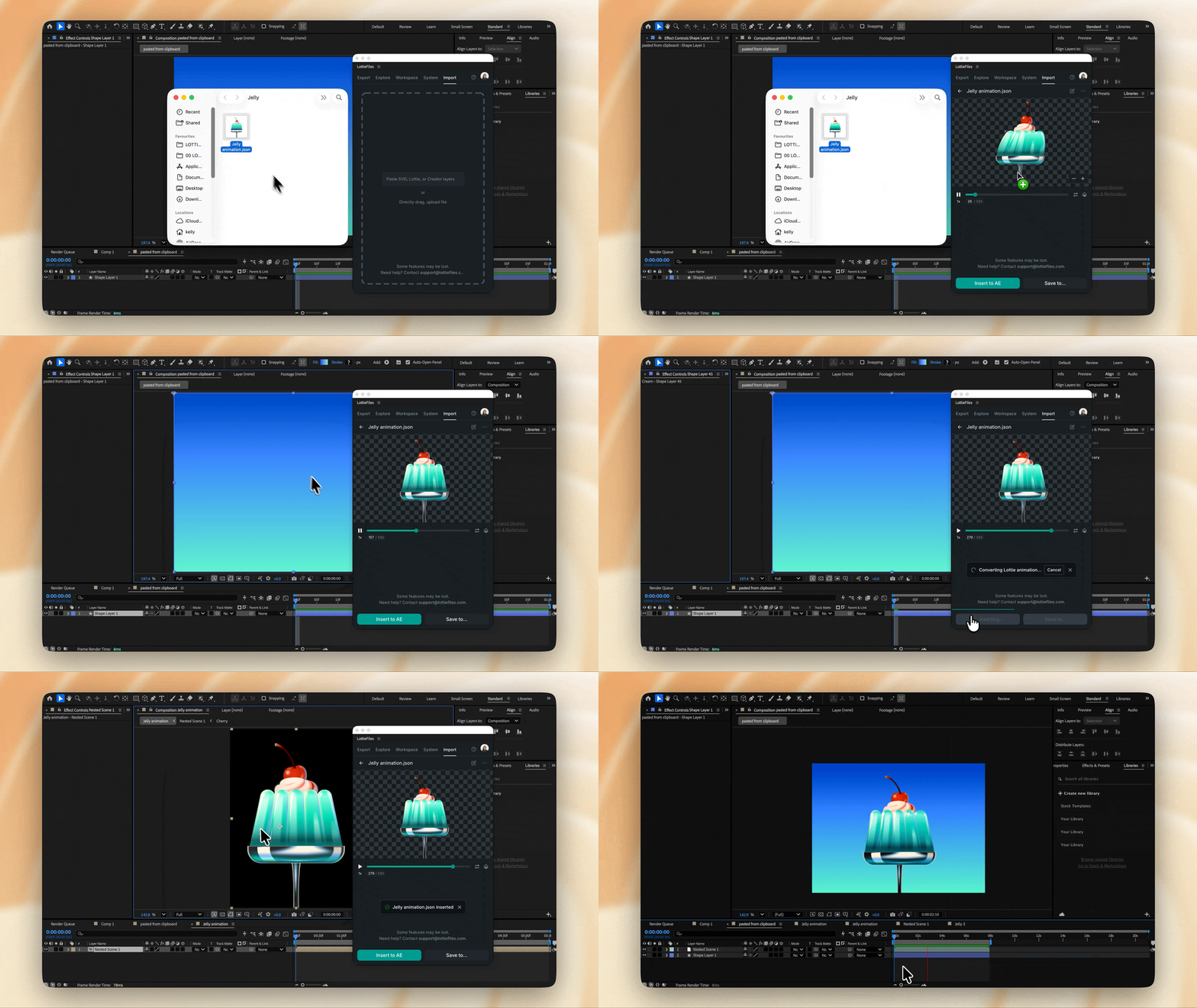
This update adds some new features in the After Effects import workflow:
- Linear and radial gradients now come in as editable AE fills and strokes
- Copy Lottie Creator layers directly and paste them into After Effects
- Insertions and renders are noticeably faster, especially with embedded images or reused pre-comps
- Fixed lost anchor points and colors lost in optimized dotLottie downloads
Pen.dev Chrome extension
Pen.dev released a Chrome extension that lets you copy any element or entire page from your open tabs straight into pen.dev as a real, editable layer. It's a quick way to bring something that's already live into Pencil without rebuilding it from scratch. Get the extension
Dive Club: Ed Bayes on designing 6 months into the future at OpenAI
This week's Dive Club episode is with Ed Bayes, design lead for ChatGPT Work and Codex at OpenAI. He talks through how Codex went from an async, web based product to an agent first desktop app, why he structures his design team around personas instead of features, and how eval driven design works in practice when testing generative UI. He also gets into how prototyping shifted from Figma mockups to branching directly off production code, and why he still doesn't think you need to know how to code to be a good designer.
ChatGPT Images 2.5
ChatGPT has a new version of it’s image generation model, which has:
- Faster image generation to keep your ideas flowing
- Improved fidelity for more natural, recognizable images
- Consistent details across multiple edits
- Comment based edits so you can change only what you want