Design Thursday #115
A weekly recap of everything you need to know about tools, events, guidelines and design in general.


New in Paper: tabs, comments, free editors, and more
We’ve already shared some of these updates before, but here’s a rundown of everything new in the latest August update.
Tabs
Paper's desktop app now lets you open multiple files as separate tabs, so you can switch between projects without losing your place. Agents can also work across tabs at the same time, even in the background, so one agent can build tokens in one file while another handles a completely different task elsewhere. Good to know: mention which file you're working in when prompting, so the agent doesn't get confused about which tab it should work in.
Tokens in app
You can now create and edit tokens directly inside Paper instead of relying on the MCP for everything. Typography tokens also show up in the font dropdown next to your favorites, so switching between them is quicker. Editing an existing token, like a color, updates it everywhere it's used across your file straight away.
Flex wrap
A new flex wrap option lets items inside a frame break onto a new line instead of shrinking or overflowing when they don't fit. You'll need to turn off clip content on the parent frame first to see the overflow, then set wrap in the layout panel. It works the same way as the CSS property, so if you're used to flexbox, this will feel familiar right away.
Comments
You can now leave comments in your files for both teammates and agents. Add one with the comment button or the C shortcut, then resolve, filter, search, or sort them from the right panel. The most useful part might be leaving comments directly on a frame for your agent, then just telling it to check the comments and implement the changes.
Free editors and viewer roles
Free teams can now invite unlimited editors, and viewer roles are free on every plan too. Viewers get access to all files and folders without edit rights, which is an easy way to bring in stakeholders without having to add a paid seat.
Lens distortion shader
Paper added a new lens distortion shader that warps geometry and shifts color channels like an actual camera lens. It works on any layer, including text, so you can use it for some more experimental type effects too.
A few smaller updates
- Alt-drag duplication now keeps rotation values across repeated duplicates
- You can select multiple files or folders at once from the dashboard
- Files can now be duplicated straight from the dashboard
- File size limits were raised for Pro plans
LottieFiles Plugin Catalog & Bazaar
Plugins finally have a proper home in Lottie Creator. The new Plugin Catalog gathers all your installed plugins in one place, so you don't have to dig around to find or launch them while you work. Bazaar is the new marketplace next to it, where you can browse plugins built by other creators or submit your own for the community to use.
Webflow Bulk Create Form Select Options
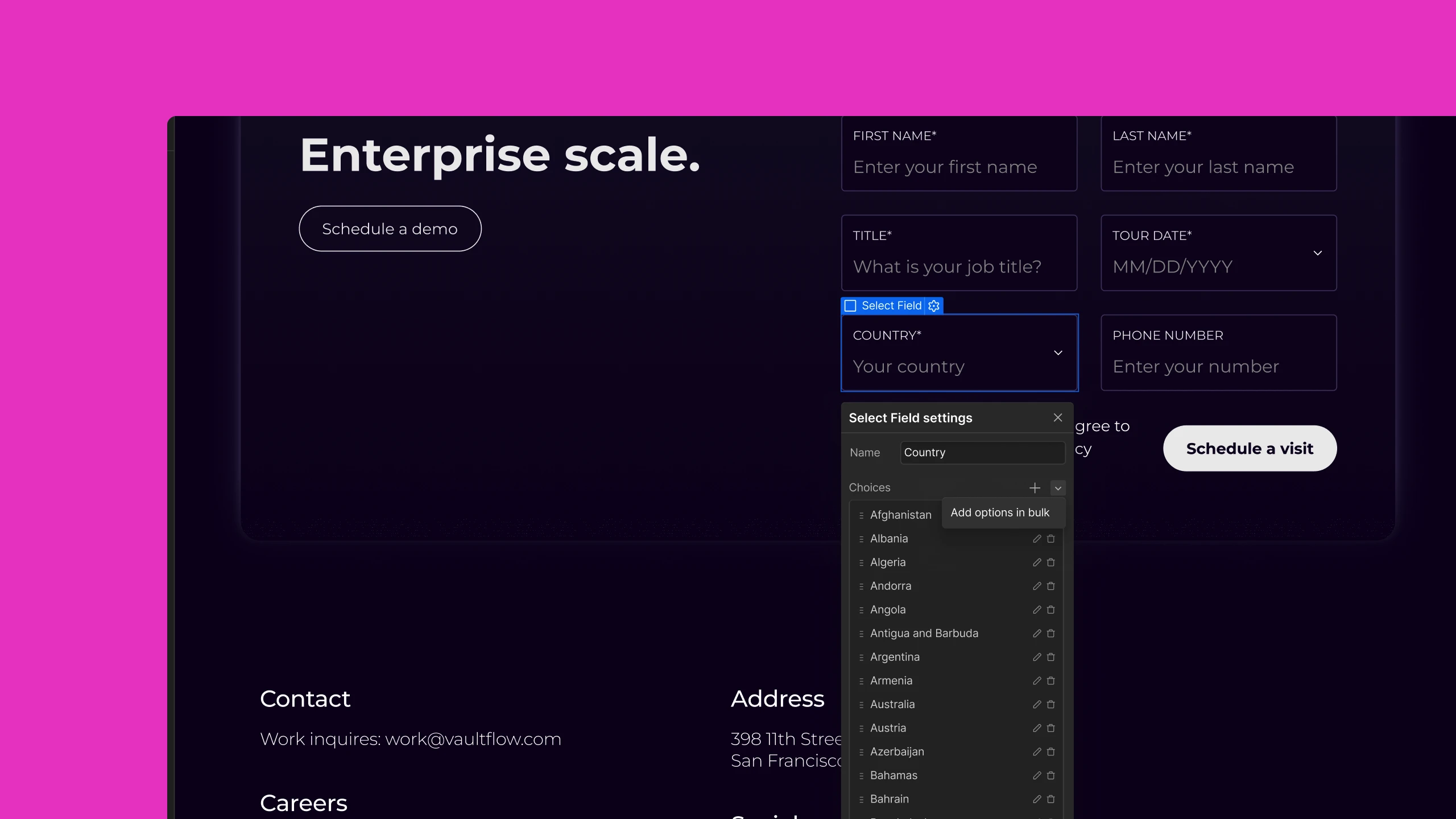
You can now paste in a full list of options at once to fill a select field, instead of adding each one manually. Separate each option with a line break, and use a comma if you need to split the visible text from its underlying value. If something in your list is formatted wrong, Webflow flags the exact line so you don't have to hunt through the whole thing. It also accepts data pasted straight from a spreadsheet, so there's no need to reformat it first.
Framer Updates
Video Shaders
Shaders in Framer now accept video as well as images, grouped together under Media in the Insert panel. Chromatic Aberration is the first shader to get video support, along with new controls for glass-like curvature and dispersion. Videos keep playing in real time while you tweak the properties, so you can see the effect update as you go.

Agents: Reasoning and Fast Mode
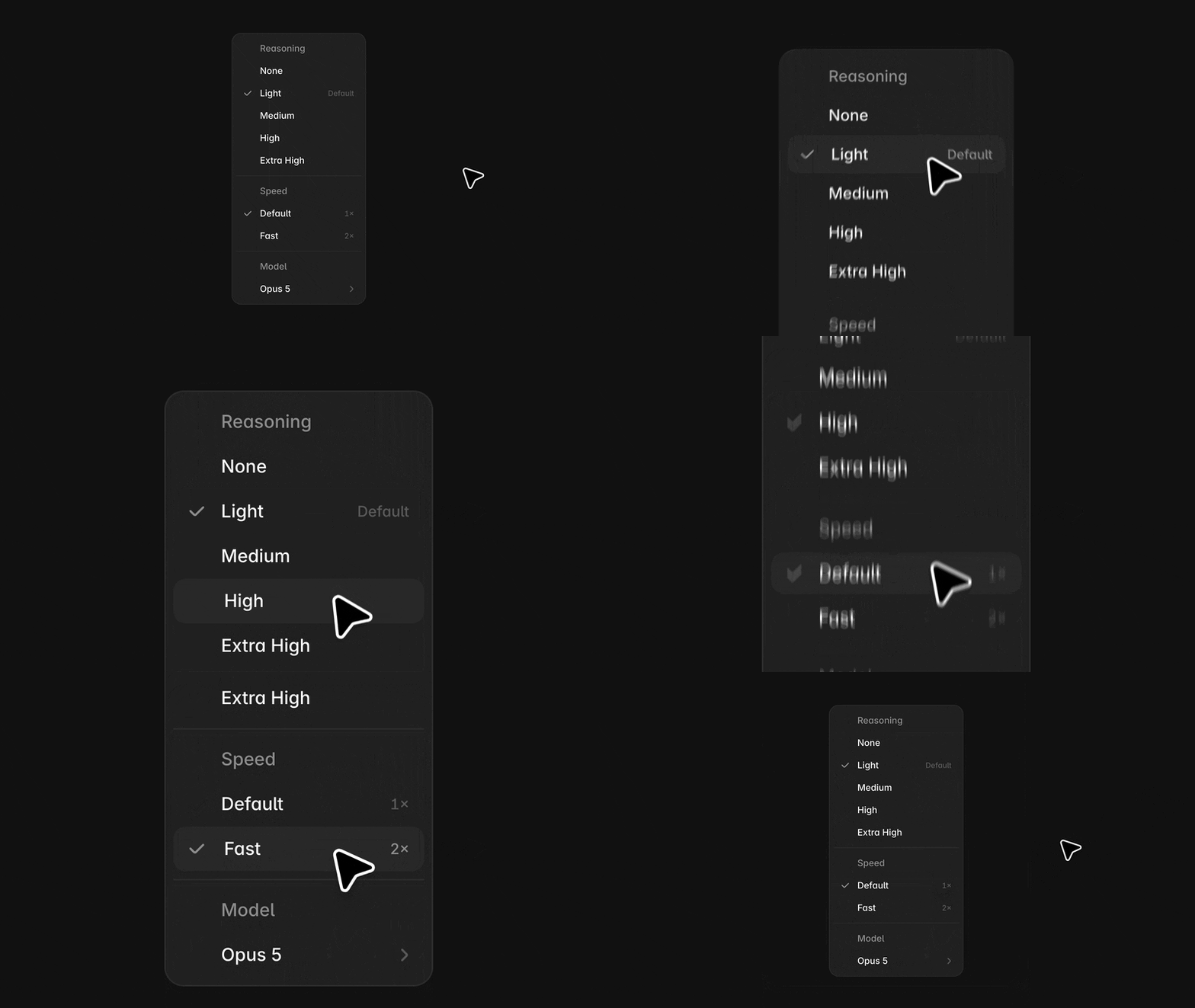
The Agent model picker now lets you choose how much reasoning a model does before it starts building. Light reasoning suits quick edits, while higher reasoning gives Agents more room to plan out bigger changes. There's also a new Fast mode for models that support it, like Opus 5, which trades more tokens per task for noticeably quicker responses.
Figma MCP: Run Weave Tools From Your Agent
You can now run your Figma Weave tools straight from clients like ChatGPT, Claude, or Cursor through the Figma MCP server. Describe what you need, and the agent finds the right tool, runs it, and returns the result in your conversation, so you don't have to switch apps to get there. For example, if you've built a mockup tool in Weave, you can just ask your agent to run it with a set of images. Figma says building new workflows in Weave without leaving your agent is coming next.
Pen.dev AI Pen
Pen.dev added AI Pen, so you can ask an agent to draw something and then refine the béziers by hand. It comes with multipoint rotate, scale, and multipath editing, plus new on-canvas gradient tools for linear, radial, angular, and mesh gradients.
Dive Club: New AI workflows
In the latest Dive Club episode, Kyle Zantos & Ridd are going over the workflows they have actually been using lately: HTML docs for design exploration, a UX writing environment, prompting through a Supercut MCP workflow, and node-based setups for generating and reviewing variations. It’s a great inside look at how they are working in reality with AI tools.