Design Thursday #114
A weekly recap of everything you need to know about tools, events, guidelines and design in general.


New in Figma
Figma Make gets a real editing panel
Figma Make just got an editing panel instead of just a prompt box or the limited visual tweaks you could make.
- Properties panel: select any element and tweak spacing, typography, layout, and corner radius directly, the same controls you already know from Figma Design.
- Annotations: mark a spot on the canvas and describe intent in your own words, like "make this section feel calmer," and the agent applies it right there.
- Device frames: switch between screen sizes while you edit to make sure everything holds up.
- Credits: edits stack in the chat panel and stay credit free until you apply them, and cost less than describing the same change in a prompt.
Get organized with nested folders
Figma renamed Projects to Folders, and every file in Teams now lives in one. You can nest folders up to 10 levels deep, give them colors, and access automatically applies from the folder above (you can still change it per folder of course). It's rolling out over the next few weeks to everyone.
Rive updates
Rive released a bunch of new updates for its runtimes and the editor:
- Global View Models: view models can now live at the file level instead of belonging to one artboard, so you can bind their properties from anywhere and use them like design tokens.
- Shape Builder: a new tool in the toolbar (Shift+M) to merge or carve overlapping shapes by dragging across regions.
- Motion Path handles: reshape a keyed object's motion path right on the stage, drag anchors, bend segments, and smooth through keyframes.
- Multi-keyframe editing: select several keyframes and edit, drag, or type a value once to apply it to all of them.
- Favorites and pinned projects: star files and pin projects so they stay at the top of your sidebar.
Some other features they releases: screen reader support is now available on more platforms and a lot of reliability fixes have been made for the AI agent.
Framer Plugins 4.1
Framer Plugins 4.1 adds two new plugin capabilities: branching and publishing. Plugins can now create, switch, merge, and delete branches, and react live whenever a branch changes. On the publishing side, a plugin can publish a project's changes, deploy to a custom domain, and check on deployment status. Framer also rebuilt its API docs with better search and linking.
Webflow
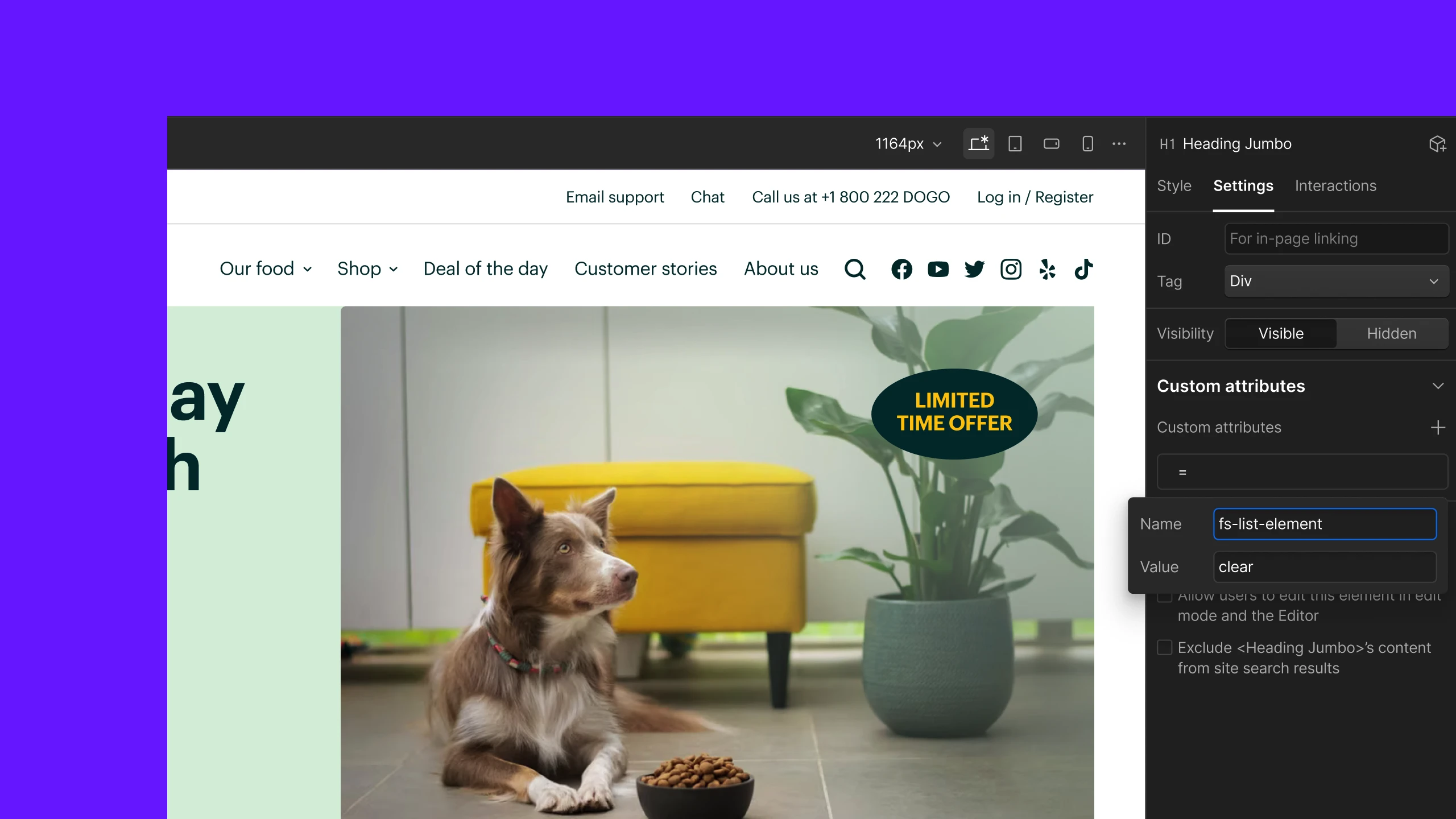
Webflow now splits a pasted name=value string into the correct name and value fields automatically when you add a custom attribute. It saves some time and avoids making errors, you paste once and both fields fill in correctly. Pasted attributes get validated too, so a duplicate or an invalid character throws a clear error right away.
Stark
- Platform detection: Stark now figures out whether you're designing for web, iOS, or Android and suggests the right Headings, Landmarks, and Touch Targets for that platform, with an option to override it.
- Native Figma annotations: annotations now attach directly to their badges on the canvas instead of living in a separate sidebar, so they resize and stay out of your way.
- Smaller stuff: Dev Mode shows more annotations with matching code snippets, Focus Order now shows layer text content to make reordering easier, governance settings work across all browser extensions, and Stark's MCP server is now listed as a Claude community connector.
Mobbin Search improvements
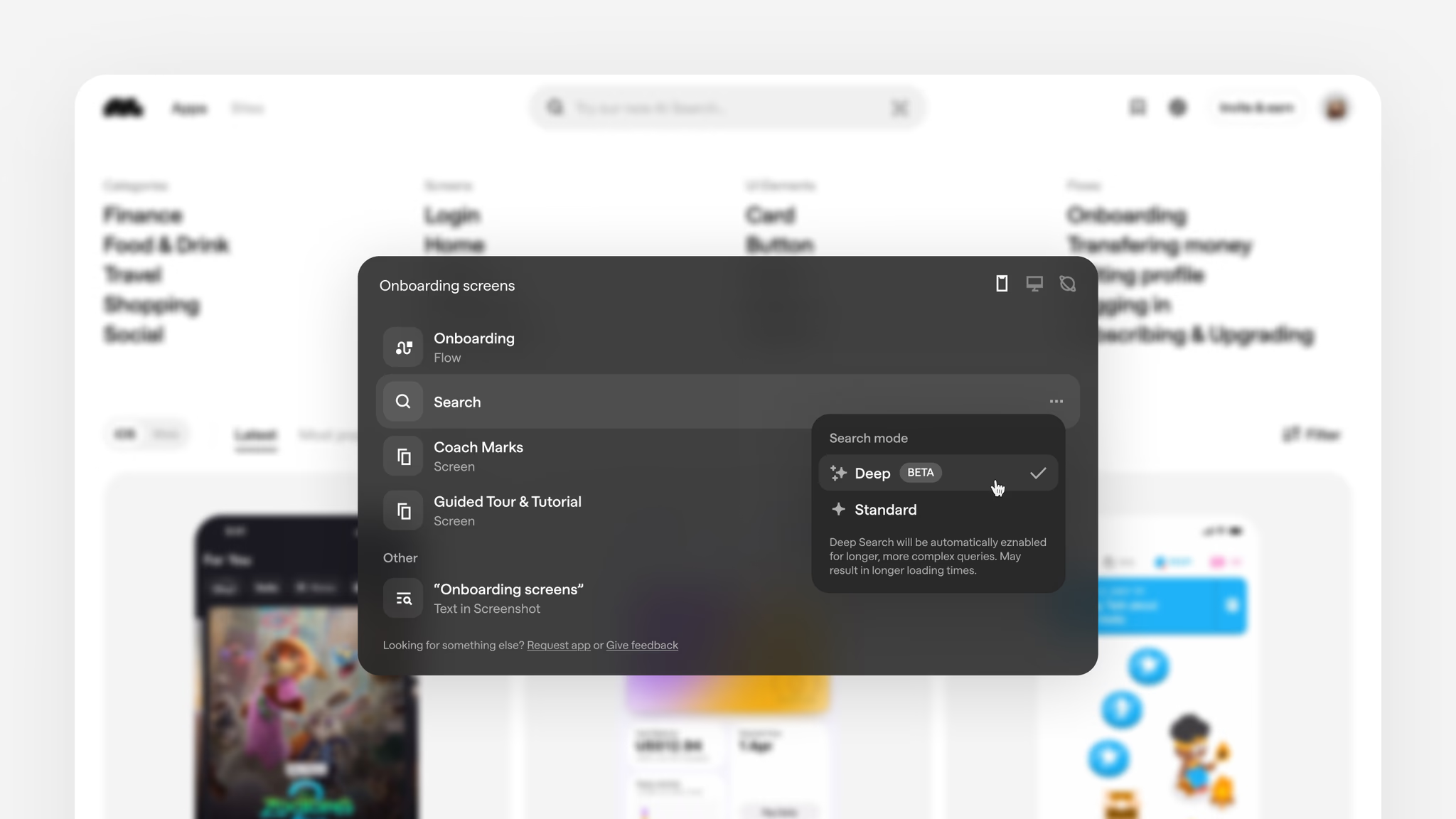
- Plain language search: one query searches screens, flows, and sections at once, and you can switch between Screens and Flows without losing what you typed.
- Text inside screenshots: search for a word that appears inside a screen, like "checkout" or "invite," and see it highlighted in the results.
- Deep Search: a new AI mode that reads what you mean instead of matching your exact words, with filters for animated screens and in-screen text.
- Fresher results: results now favor the latest version of each app and spread across more of them, so one app no longer dominates the grid.
There were also some smaller updates: saving sites and sections to collections, match counts in visual search, and proper video playback with scrubbing and a working space bar.
Apple App Store creative assets
Apple is rolling out new creative assets for the App Store ahead of iOS 27. On top of the usual screenshots and app previews, you'll be able to use dedicated assets for your product page header, search results, and In-App Events to show off your brand or seasonal content. Apple published a full best practices guide alongside ready-made templates for Figma, Photoshop, and Pixelmator so you can start planning before the launch of iOS 27.
Read the App Store asset best practices

How Claude Design started as a side project
This week's Dive Club episode is with Nate Parrott, the designer behind Claude Design at Anthropic. He walks through how it started as a side project, pasting terminal screenshots from Claude Code into Claude and asking it to mock up HTML, and how that grew into a real product in about three months. They cover his tips for getting more out of Claude Design, how "weatherman mode" turned into a genuinely useful voice feature, and how Anthropic's own designers use it to build artifacts across formats.