Design Thursday #111
A weekly recap of everything you need to know about tools, events, guidelines and design in general.


Recraft's vector editor
Editing an AI-generated vector used to mean leaving Recraft altogether: export the SVG, open it in Figma, nudge a point, export again. Recraft Studio now has a built-in vector editor. Click any shape in your generation, drag anchor points to adjust curves, recolor individual shapes, or duplicate elements, all without leaving the canvas.
Penpot 2.17
Penpot 2.17 is out, and background blur made it in, a long requested feature. It runs on the new WebGL renderer, which is still in beta and also picked up fixes for the prototype viewer and guides. A few smaller additions worth knowing:
- MCP connection status is now visible via a button in the top toolbar, with better multi-instance support for self-hosters
- Design tokens got several small upgrades: typography tokens now show up when you multi-select text, and token creation has autocomplete
- Comments can now be read, replied to, and resolved without leaving design mode
- Community contributions added dashed strokes with separate dash and gap controls, plus a selection size badge

Adobe Firefly: Precision Flow and AI Markup
Firefly added two new ways to edit images more precisely. Precision Flow, still in beta, generates a range of results from one prompt and lets you slide between them, handy for shifting lighting, weather, mood, or time of day, or for adding elements like trees or furniture. AI Markup lets you draw, annotate, or drop text prompts directly onto the image with a brush or rectangle tool, so you can point at exactly what should change instead of describing it. Both are aimed at the same problem: getting AI edits to match what you had in mind, without ten rounds of rewriting a prompt.

Jitter Superagents
Jitter added Superagents, letting you ask it to build pretty much anything: remix a template, animate a scene from scratch, or turn one asset into a full campaign with different sizes and localized versions. Select a scene and click the sparkle icon for quick shortcuts like resize or clean up timeline, or open AI chat and describe what you want in your own words. Everything stays fully editable, and once you're happy with it you can batch export extra sizes, formats, or language variations in one click.
Quicker CMS items in Framer
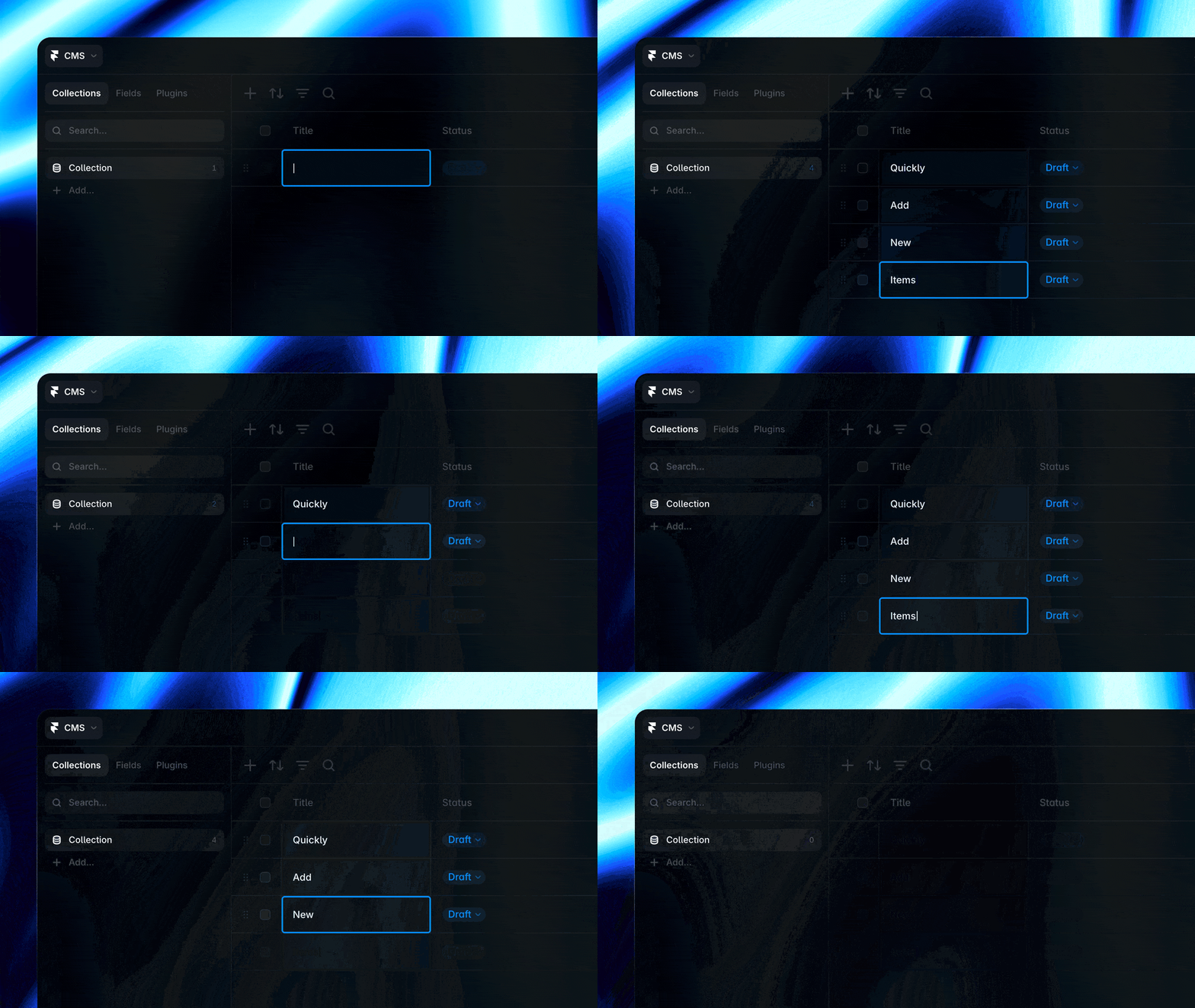
Adding CMS items in Framer just got faster. A new empty row now sits at the bottom of every collection, so you can fill in a field and hit return to save it and jump straight to the next one, useful for quickly adding things like categories or tags. The update also brings a batch of smaller improvements, mostly focused on the CMS Agent, plus more reliable formatted text fields.
Jason Yuan on designing 99 "no"s for one "yes"
This week's Dive Club episode is a deep dive with Jason Yuan on the multi-year journey of designing Hivemind, his new social intelligence product, and Dot, the product before it. Yuan screenshares dozens of unused concepts, art directions, and brand explorations, and talks about why he doesn't believe in user research, where he actually finds inspiration, and how he thinks about world building. It's a rare, honest look at how much gets thrown away before something ships, or as he puts it, everything he makes is the distillation of the 99 nos that came before it.