Design Thursday #108
A weekly recap of everything you need to know about tools, events, guidelines and design in general.


Framer 3.0
Framer just shipped its biggest release yet. Framer 3.0 brings Agents directly to the canvas, which can design full pages, handle breakpoints, manage CMS collections, clean up styles, write code components, and a lot more. There's also a new Branching feature for exploring ideas safely without touching your live site, and a rebuilt Community with a marketplace, creator feed, and contests. External agent support is included as well, meaning you can connect Claude Code, Cursor, or any other LLM via the CLI to drive your Framer project straight from the terminal.
Claude Design
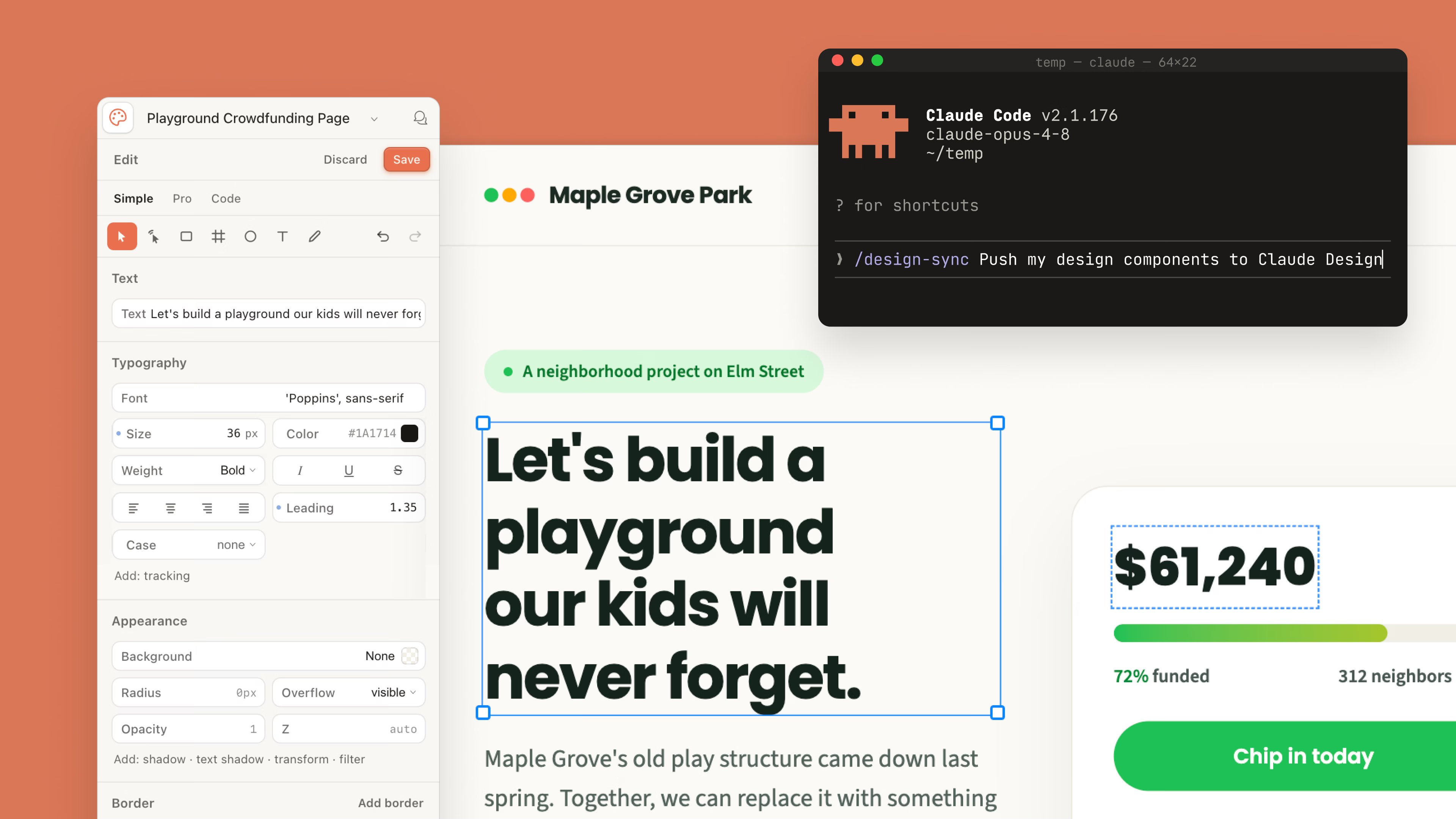
Claude Design also got a set of updates this week. New layout controls let you drag, resize, and align elements directly on the canvas. Claude Design and Claude Code now work together in both directions, so you can hand a design off to build or start in Claude Code and sync it back into Design.
Figma Updates
There were quite a few Figma updates this week right before Config next week:
MCP server
The Figma MCP server now supports creating and updating Figma Slides presentations, renders with your uploaded local fonts instead of web-safe fallbacks, exports JPG, SVG, and PDF assets with a new download_assets tool, and is now compatible with Xcode for mobile design handoff.
Tab Groups
Group, color-code, and collapse tabs in the Figma desktop app by project or workflow.
Webpage capture
A new Chrome extension feature lets you copy any webpage as structured, editable layers directly onto the Figma canvas.
Get the Figma Chrome extension
Adobe Creative Cloud
Adobe add a few different updates across the full Creative Cloud suite this week:
- After Effects: Object Matte replaces Roto Brush with four AI-powered selection tools. 3D gets a major upgrade with Displacement Maps, Depth of Field, and scripting APIs for Parametric Meshes. SVG files now import directly as editable shape layers.
- Photoshop: Reflection Removal automatically detects and isolates reflections from glass shots onto a separate layer, with opacity control for non-destructive results. The Remove Tool now also works on-device and offline.
- Illustrator: A new Concept to Vector feature turns rough sketches or low-quality assets into clean, editable vector drafts directly inside Illustrator.

LottieFiles Motion System
LottieFiles launched Motion System, a central place to define and govern your brand's motion. You can set up colors, typography, easing curves, motion presets, and animation assets in one workspace, publish them as versioned releases, and apply them directly across Lottie Creator, Figma, and After Effects. Drafts stay separate from the live system, and every published version stays in revision history so you can always roll back.
Learn more about Motion System
Rive MCP
Rive's MCP is out of early access and now available to everyone.
v0 Design Mode
v0 added some Design Mode updates this week. On top of agent-powered generation, you can now edit directly in the preview with a floating toolbar, drag handles for spacing and flex gaps, and drag-to-reorder. Side panels give you a full layer hierarchy, properties for fonts, colors, radius, and shadows, and an annotation tool to click elements, leave comments, and send them as a single prompt.
Jitter Background Blur
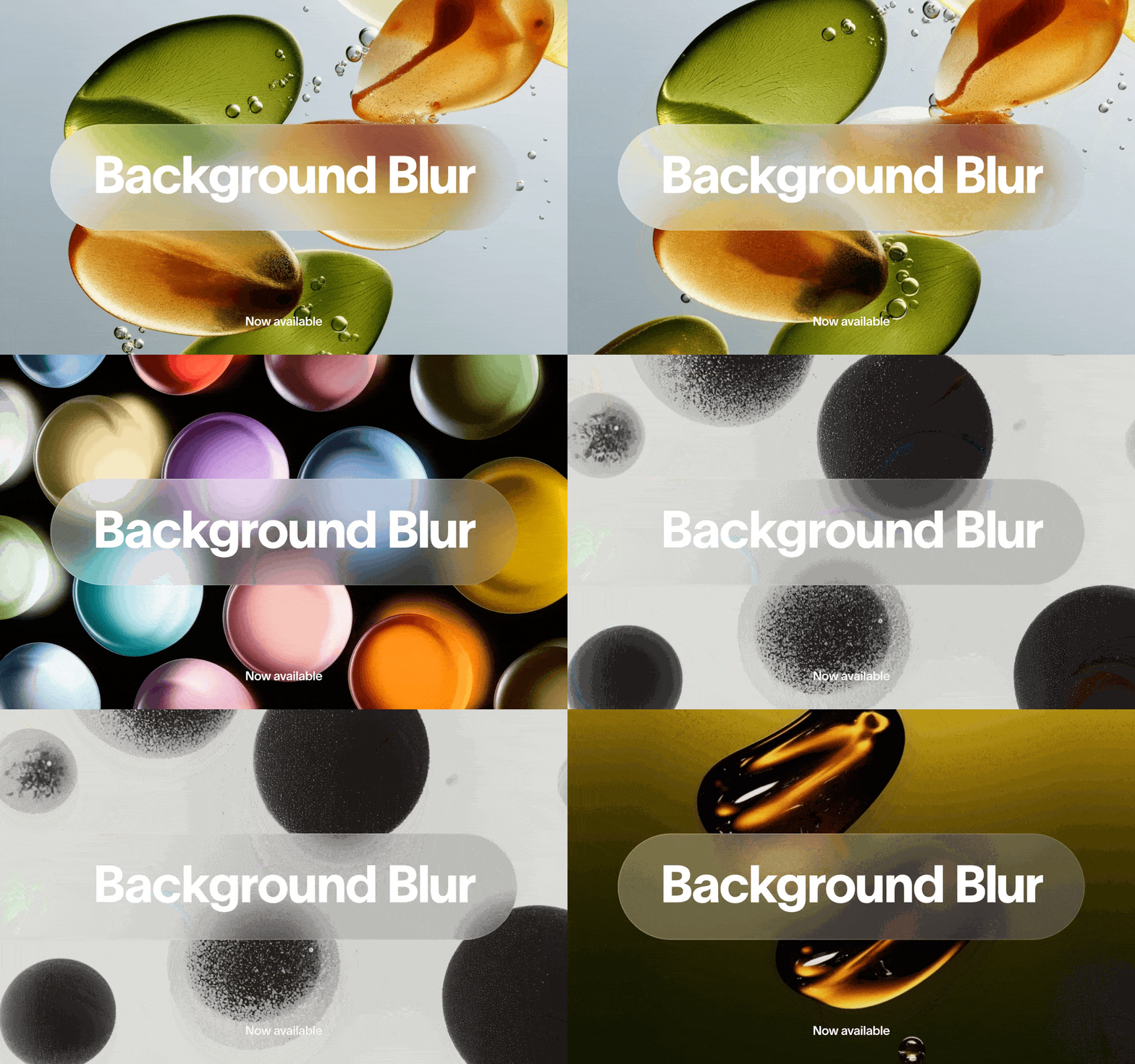
Jitter added background blur to any layer. Enable it in the Design tab, set the Radius and Blend values to control blur strength and how much of the layer underneath shows through. Good for frosted glass overlays, text over busy imagery, or adding some depth to a scene.
Omma Studio
Omma is a new AI tool from Spline that combines 3D, image, video, and audio generation in one place. Multiple agents run in parallel, so code, 3D meshes, and visuals can all generate at the same time, connecting directly to Omma's code projects for deployment. There's also a desktop app for switching between Studio and Chat mode, and all assets are accessible from the chat prompt via your asset library.
MagicPath Design Systems
MagicPath updated its design system feature to support design.md imports alongside website and Tailwind files. The nice part is that your design system is now available to any external agent by simply referencing it in a prompt, not only when working natively in MagicPath.
Learn more about Design Systems in MagicPath
Paper Folders
Paper added folder support to the dashboard, including nested folders. Right-click any file to move it for now.
Dive Club: How a Visual Designer Became a Builder
Dive Club published a great conversation with Brett Williams from Design Joy on how he went from pure visual designer to shipping a real Mac app called Gather. He covers his process for iterating with Claude, how he built a prototyping.md skill to explore UI options as tabbed HTML files, where Figma did and didn't fit into the workflow, and how he approached sound design with zero prior experience. Worth a watch if you're a designer thinking about what it actually takes to go from zero to one as a builder.