Design Thursday #103
A weekly recap of everything you need to know about tools, events, guidelines and design in general.


Stark Updates
Sidekick improvements for large files
Sidekick is now faster on complex Figma files. Stark improved scan progress feedback, sped up the Figma scanning tests, and tightened up performance across the board so things feel snappier when working on larger files.
Export reports as CSV, JSON, or PDF
You can now export your Stark reports in three formats: CSV, JSON, or PDF. CSV and JSON make it easy to push results into Jira or BI tools, while PDF is great for a clean, shareable snapshot. A highly requested one.
VPAT inline guidance
Filling out a VPAT can be daunting, so Stark added detailed guidance as inline comments directly in the VPAT exports to help you get through the manual parts faster. Don't forget to check out their VPAT guide if you haven't already.
Storybook and MCP polish
The Storybook CLI now supports `include` and `scan-variants` options to scope exactly what gets scanned. The `include` option lets you target a specific path or search string in your repo, and `scan-variants` is a big one since it navigates through all the variants of your stories and sends those results up to the dashboard.
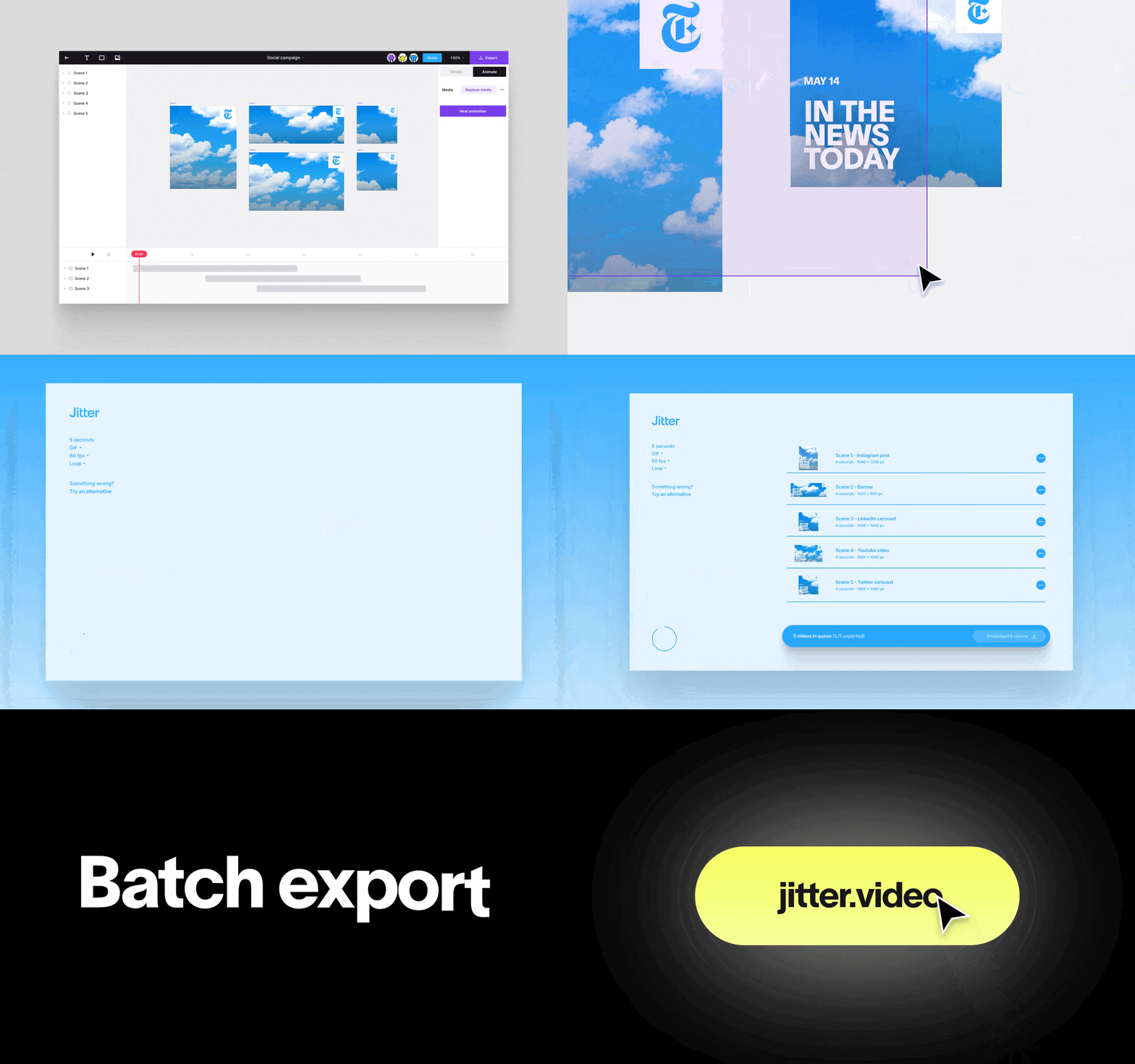
Jitter Batch Export
Jitter added batch export. If you're working with multiple artboards across design variations, sizes, or languages, you can now select the ones you need and export them all at once. Select the artboards, hit export in the top right, pick your format, and download them all from the export page. You can still adjust settings per scene before downloading if needed.
Webflow Updates
AI code components
Webflow now lets you generate reusable, on-brand code components directly inside Webflow with the AI Assistant. Describe what you want, like a pricing calculator, a search filter, or a location finder, and the AI generates it right on the component canvas, already in line with your design system. You can keep refining it in the chat or jump into code before dropping it onto your site.
Dynamic attributes for components
A new Attributes prop gives you full control over an element's HTML attributes on each component instance. You can now connect the entire list of attributes to a prop so it can be changed or extended per instance, and attribute names can be dynamic too, connected to a prop, CMS field, or page data.
DevLink export improvements
Webflow rearchitected the DevLink export engine to make it faster and more reliable. Exports now support conditional visibility, variable modes, nested library components, and native props and slots. On top of that, you get full TypeScript coverage, de-duped variable names, and clean scoped CSS files. Enterprise teams also get export permission management via user roles or API tokens and full export attribution in the activity log.
Auto-resize favicons and dark mode support
Upload a single square image in Site Settings and Webflow automatically generates every size you need, from 32x32 favicons to 192x192 touch icons. You can also now upload a separate favicon for dark mode, and Webflow will serve the right one using `prefers-color-scheme`. As a bonus, Webflow now generates the 48x48 size Google uses in search results automatically.
Spacing values on the canvas
Margin and padding values now appear directly on the canvas when you select an element. You can also hold Alt/Opt+Shift and hover over any element to see its spacing without selecting it. The values reflect what actually ships to production, including values set through variables.
New in Figma Make
Figma Make got a quite some useful updates. Voice-to-text lets you dictate prompts directly in the chat, with cleaned-up text ready to review before submitting. Question cards give you structured options with tradeoff descriptions before Make moves forward on something. Version history now tracks every change across your build so you can revert to any prior state instantly. And there's a new Zapier connector, bringing in context from Google Drive, Microsoft Office, Zoom, and thousands of other apps.
Figma Release Notes Livestream
Figma streamed a new Release Notes episode focused on how AI agents and the Figma MCP server can elevate design and development workflows. Three live demos walked through taking vibecoded prototypes to the canvas, connecting design system tokens from code to Figma variables, and using an agent to explore new design directions from an existing canvas. A few other things worth noting from the stream: vector editing is now up to 10x faster, Make frame rates are 4x faster, and memory warnings are down 92% on larger files. Figma Draw picked up gradient support on brushes, auto layout compatibility, and a dedicated text on path tool. The eyedropper on macOS desktop can now sample colors from anywhere on your screen. And Figma Weave was announced, a visual canvas for building and running AI creative workflows at scale.
FlutterFlow Designer May Update
FlutterFlow shipped 10 new features in its latest Designer update. Highlights include project pinning and archiving, instant search, a new command palette, and a Lottie animation picker. There's also an SVG logo library, prompt history, multi-element agent workflows so you can generate multiple frames at once, and shareable design shots for social. Focused on speed and smoother iteration overall.
Dive Club: Make Your Designs Memorable
The latest Dive Club episode is with Rafa Conde, design engineer at Retro (previous host of Layout FM). The conversation digs into how to design experiences that make people actually feel something: the role of humor, using video to sell ideas internally, the behind-the-scenes of his side projects like Hand Mirror, and balancing accessibility with delight. Worth a watch if you've been thinking about how to put more personality into your work.